
You can now optimize your customer experience and make online store management easy and hassle-free. Our eCommerce solution for Mobile/POS easily adapts with Microsoft Dynamics 365. eShop gives the freedom to browse products on any device, order easily, and make mobile app shopping a fast and seamless affair.
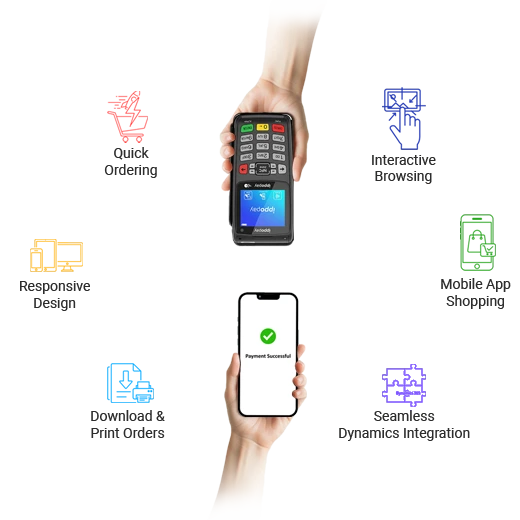
At eShop, we ensure a smooth order-processing experience for your customers and sales agents. We integrate mobile-based point of sale into your eCommerce website. This integrates directly with Microsoft Dynamics 365 solutions to keep data in one place. It enables your staff to manage inventory and product in real time in a central system for sales at stores and online shopping. Supporting print format of receipt for POS device, the tool also helps in return order process.
Classic catalog browsing ability with search, filter and sort functionality to easily find products. Customers have the same experience on mobile as website browsing on the computer, all while directly syncing with Dynamics ERP on the backend.
Place new orders and check order history or status. Get full access to login on any device and browse past orders and transactions that are saved in Dynamics ERP.
View, download and print order confirmations and reports stored in Dynamics ERP right from your phone.
Your customers can access the site on any browser, on any size screen such as a smartphone, tablet, laptop or other device. Menus, images, content and all other features will retain their functionalities.
A POS user can look for an order by the order number or the name of the customer for store pick up.
Manage POS users and administrators. Scan barcode to get information, and then print it. Common cash register settings for POS users.
A POS user can generate a new order in store on behalf of the guest for cash payments and sync it to the Dynamics ERP system. Checking out is easy with one click of a button.
Generate total number of orders processed and total number of returns in reports. Create reports as per cash entry orders, and export and download them in excel format for cash registers.
Offer rewards points to POS users for payments.
We understand you may have questions before taking your business to the next level. To help you make the right choice, we’ve compiled answers to the most common queries about our Mobile/POS solution, Dynamics 365 integration, device compatibility, and how our platform can transform your in-store and online sales experience.
Dynamics eShop Mobile/POS is a fully responsive mobile and point-of-sale (POS) solution that integrates directly with Microsoft Dynamics ERP, including Dynamics 365 Business Central, Dynamics NAV, and Dynamics 365 Finance & Operations. It enables businesses to manage in-store and online sales from a single platform while providing customers and sales staff with real-time access to products, inventory, orders, and account information across any device.
Dynamics eShop Mobile/POS is built for Microsoft Dynamics 365 Business Central, Dynamics NAV (Navision), and Dynamics 365 Finance & Operations. The solution synchronizes products, inventory, customers, pricing, and orders in real time, ensuring that your POS system and eCommerce store always reflect the latest ERP data.
Yes. Dynamics eShop Mobile/POS is fully responsive and works seamlessly across smartphones, tablets, laptops, desktops, and POS devices. Customers and store associates can browse products, search catalogs, place orders, and manage accounts from virtually any device without compromising functionality or user experience.
Yes. Store associates can create new orders on behalf of customers, process cash payments, search existing orders, manage store pickups, and synchronize transactions directly with Microsoft Dynamics ERP. The system also supports barcode scanning, receipt printing, and return order processing for a faster and more efficient checkout experience.
Yes. Dynamics eShop Mobile/POS synchronizes inventory, products, customer information, and order status with Microsoft Dynamics ERP in real time. Users can view order history, check order status, access reports, and retrieve accurate inventory information directly from their mobile device or POS terminal.
Yes. Users can view, download, and print order confirmations, receipts, and reports directly from their mobile device or POS system. The solution also allows businesses to generate reports for orders, returns, cash transactions, and sales activity, with options to export reports to Excel for further analysis.
Dynamics eShop Mobile/POS includes administration tools for managing POS users, configuring cash register settings, scanning barcodes, printing receipts, processing returns, and monitoring store operations. These features help retailers streamline day-to-day store management while maintaining accurate data within Microsoft Dynamics ERP.
Dynamics eShop Mobile/POS provides a unified commerce experience by connecting mobile shopping, in-store POS, and Microsoft Dynamics ERP in real time. With responsive design, centralized inventory management, barcode scanning, order synchronization, reporting, and seamless checkout, businesses can improve operational efficiency, deliver faster customer service, and create a consistent shopping experience across every sales channel.
Enable seamless ordering, real-time data sync, and unified sales with Dynamics ERP integration.